日本語  |  English  |  한국어  |  中文
icon

EasyTranscribe

おまかせ文字起こし

Just open a video and press a button.
Free, fully local transcription — no cloud, no subscription.

Mac Windows (under adjustment)

How to use →

If macOS says the app "cannot be opened"

Because this app isn’t signed or notarized by Apple, macOS shows a warning the first time. This is not a malware detection — it only means the developer isn’t certified. The source is fully public on GitHub and the app makes no network connections.

  1. Click "Done" in the dialog (do NOT click "Move to Trash")
  2. Open System Settings → Privacy & Security
  3. Scroll down and click "Open Anyway"
Support Development
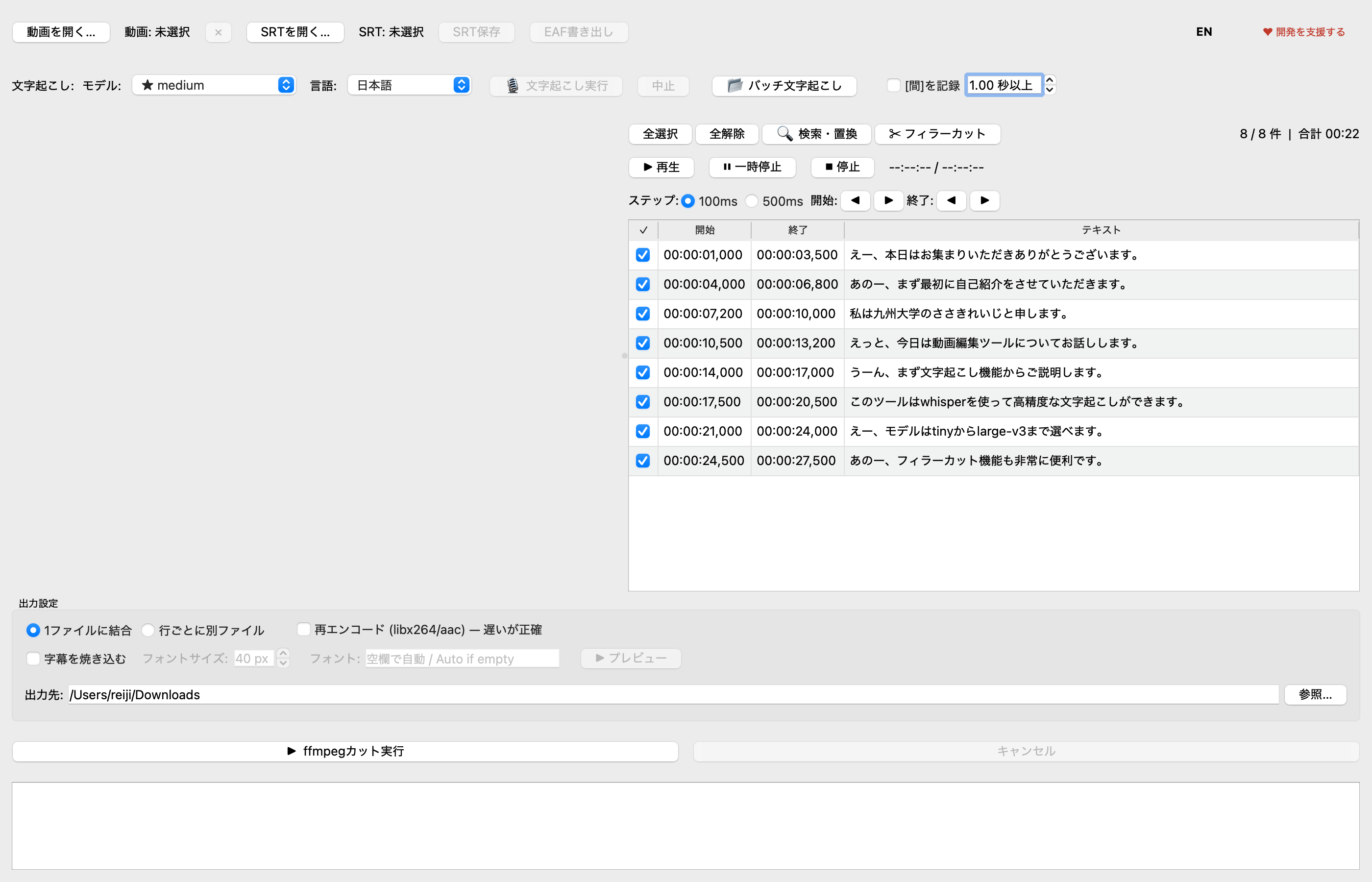
EasyTranscribe screenshot

Features

Transcription

High-accuracy transcription

Powered by OpenAI Whisper. Supports 100 languages — lectures, meetings, interviews.

Editing

Easy edit & cut

Select SRT segments and cut with ffmpeg. Fine-tune start/end times with precision controls.

Batch

Batch transcription

Queue multiple files. Add more while running. Shows estimated time remaining.

Filler Cut

Filler word removal

Auto-detect and remove filler words in 8 languages. Fully customizable word list.

Subtitle

Subtitle burn-in

Bold white text with black outline, burned directly into the video. Auto-detects vertical video.

Export

EAF export

Export as EAF files for ELAN — the linguistic annotation tool. Great for research use.

Citation

If you use this tool in your research, please cite it as:


Sasaki, R. (2026). EasyTranscribe [Computer software]. https://doi.org/10.5281/zenodo.20515527